Time-consuming patient record searching
Patient records live in one secure place, so you can look up a patient instead of digging through paper charts.
Modern Electronic Medical Record System
Simplify patient records, consultations, prescriptions, and clinic operations with LUNAS EMR. Built for clinics of all sizes and doctors of every specialty, so you can spend less time on paperwork and more time caring for patients.
14-day free trial · No credit card required · Cancel anytime
Why LUNAS
Patient records live in one secure place, so you can look up a patient instead of digging through paper charts.
Digital records, reusable templates and faster patient intake for doctors and secretaries.
Quick Medicine Library suggestions and reusable templates reduce retyping during consultations.
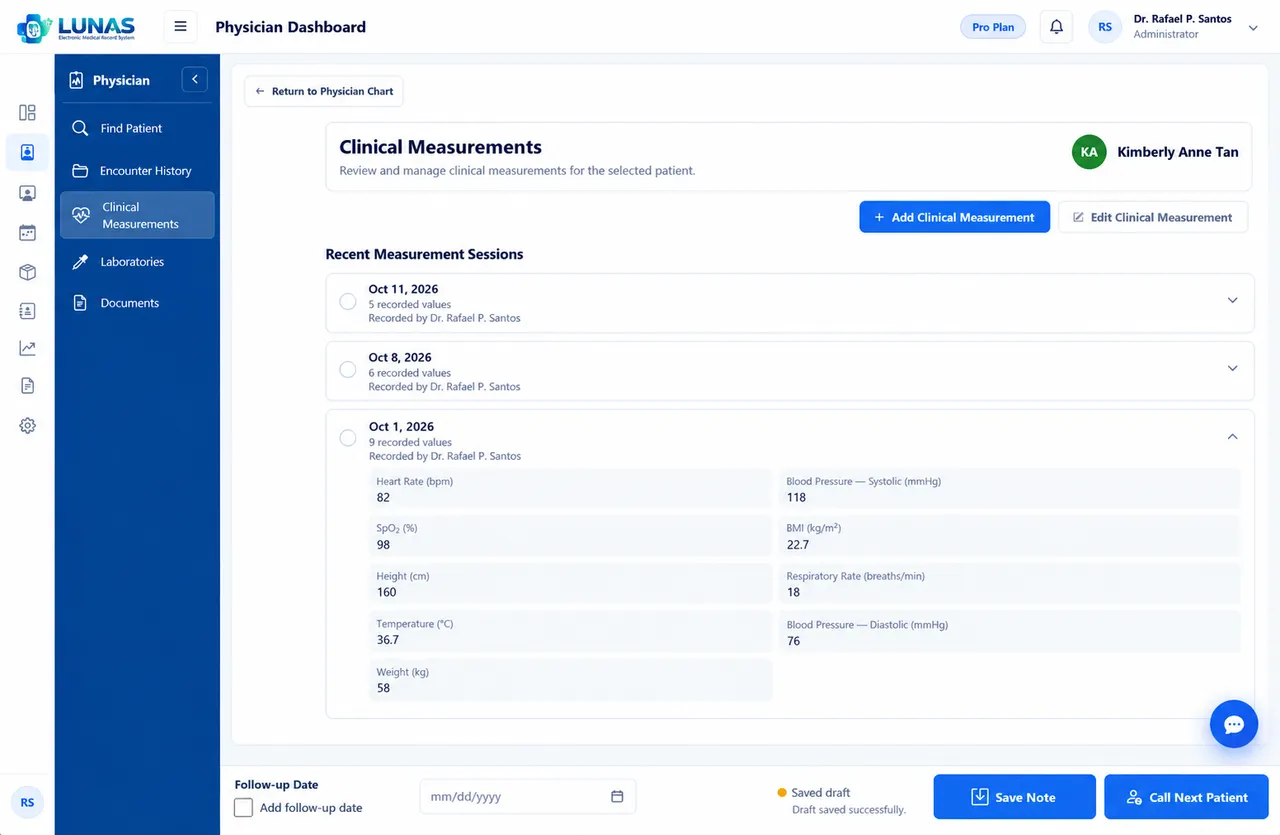
Customizable Patient Information, Clinical Measurements and Physician Chart keep every record consistent.
Patient Queue keeps the front desk and physician in sync.
Upload and review lab results right inside the patient record.
Ready-made templates you can fill and print in one click.
Inventory tracking for medicines and clinic supplies.
Organized billing and payment records per patient.
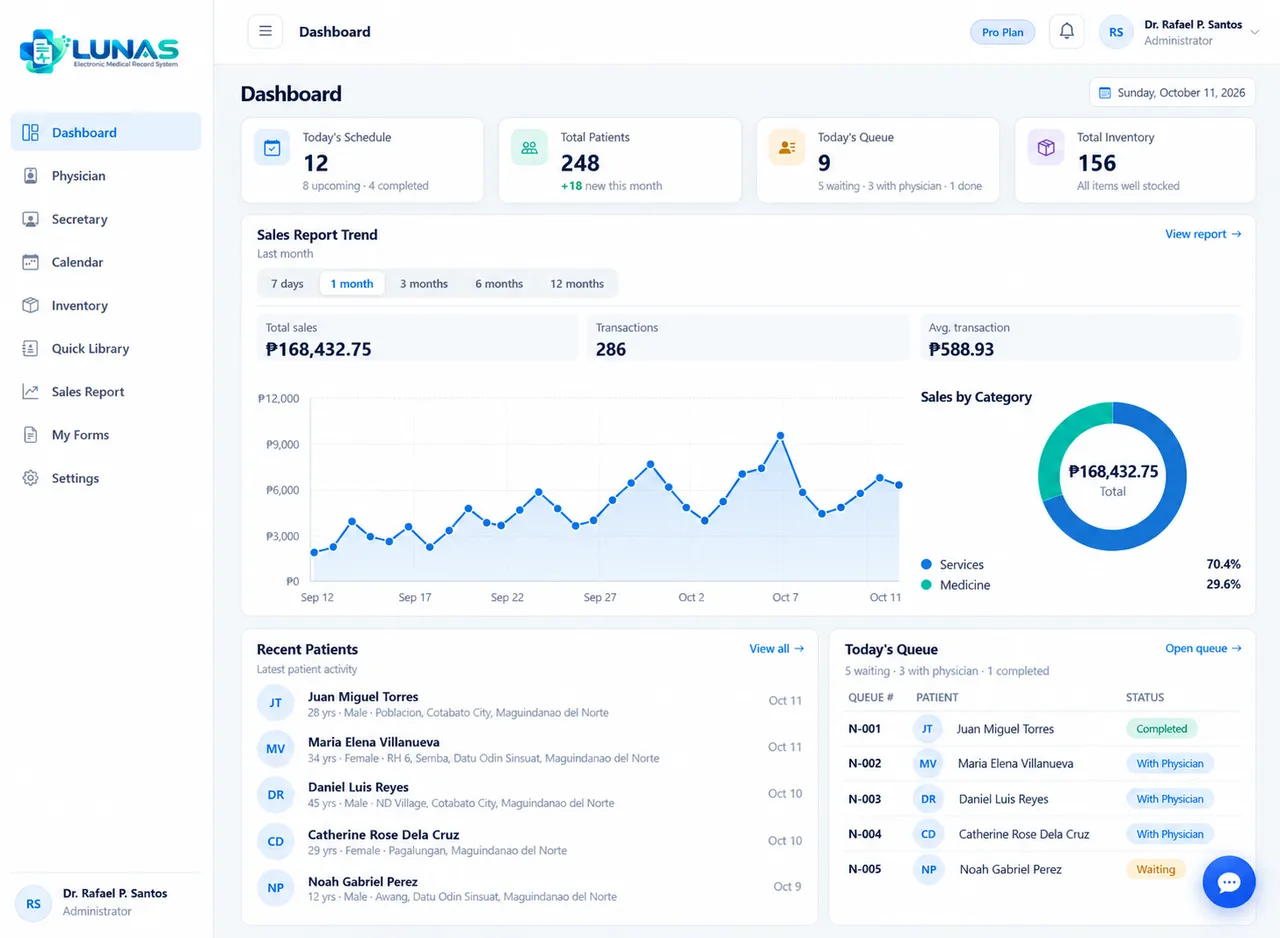
Sales and activity reports at a glance.
Integrated Patient Queue, Encounters, Billing, Inventory and Reports.
Role-based access keeps sensitive records protected.
Features
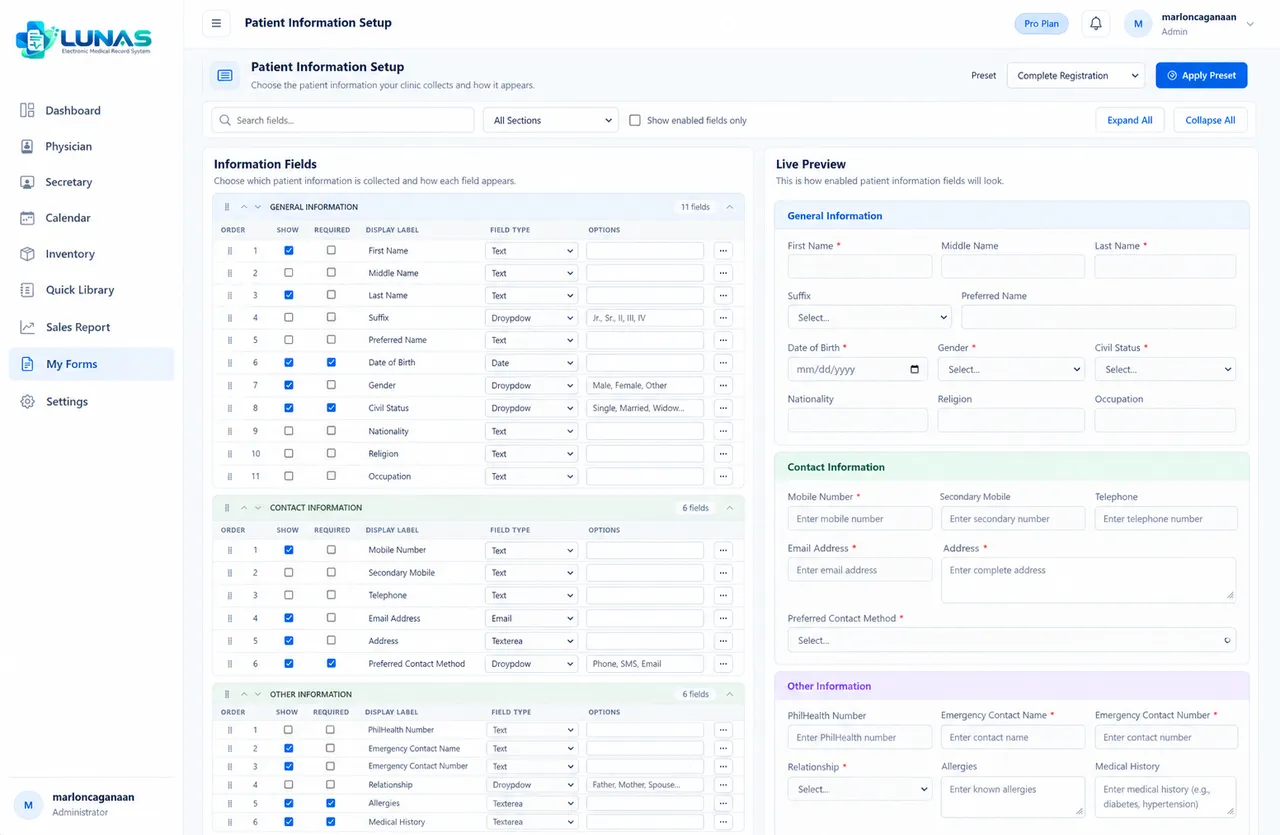
Maintain organized patient records with customizable patient information sections and fields, so every record follows how your clinic works.
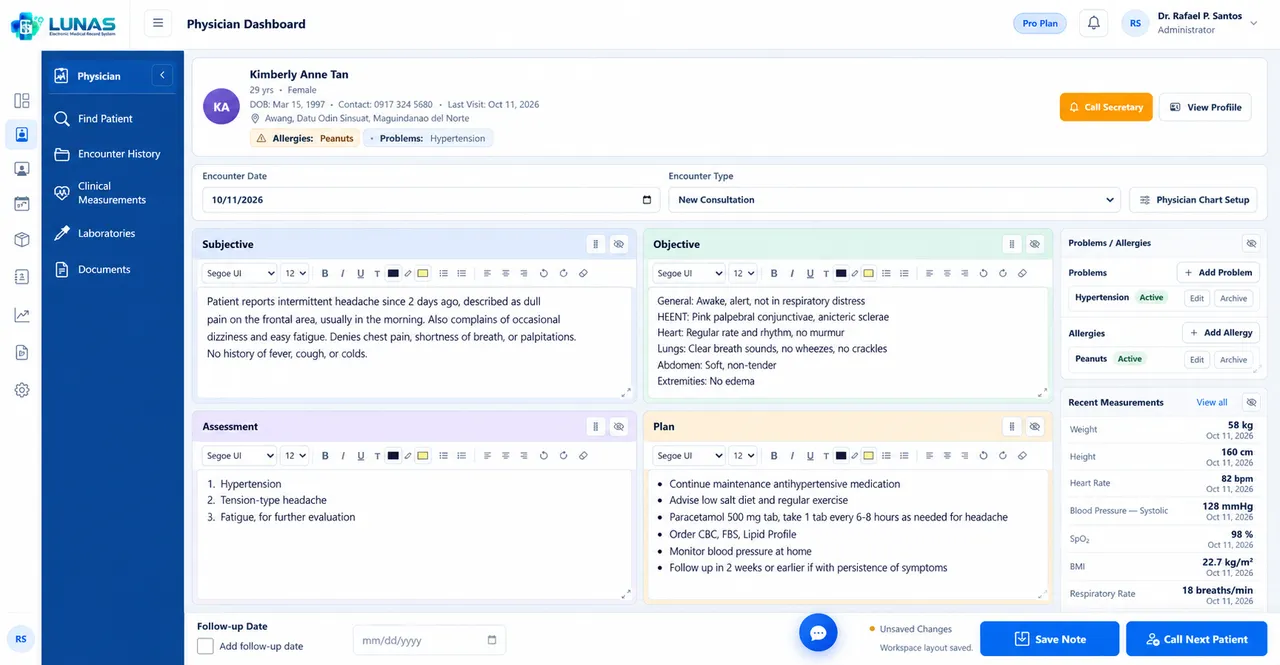
Configure clinical fields and layouts to match the physician's specialty and workflow.
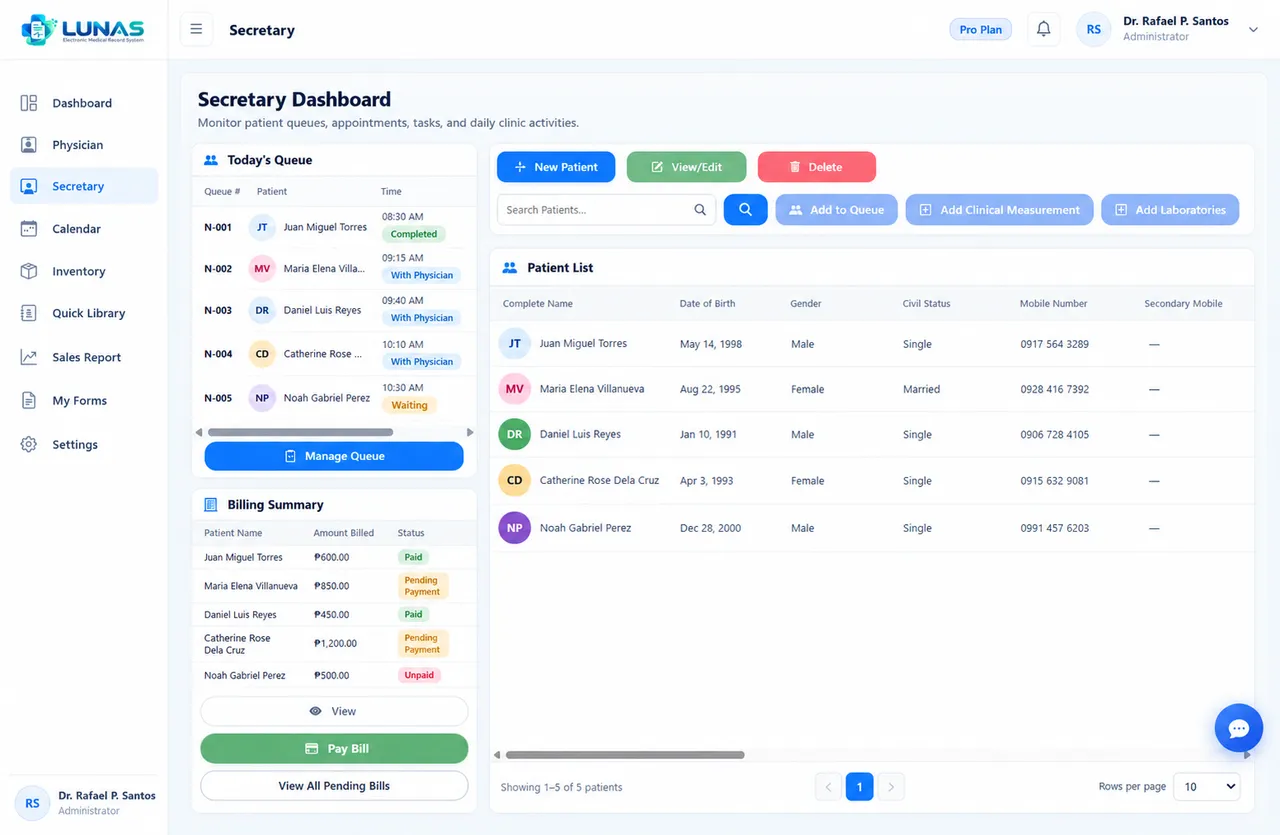
Manage queues and organize consultations and encounter history.
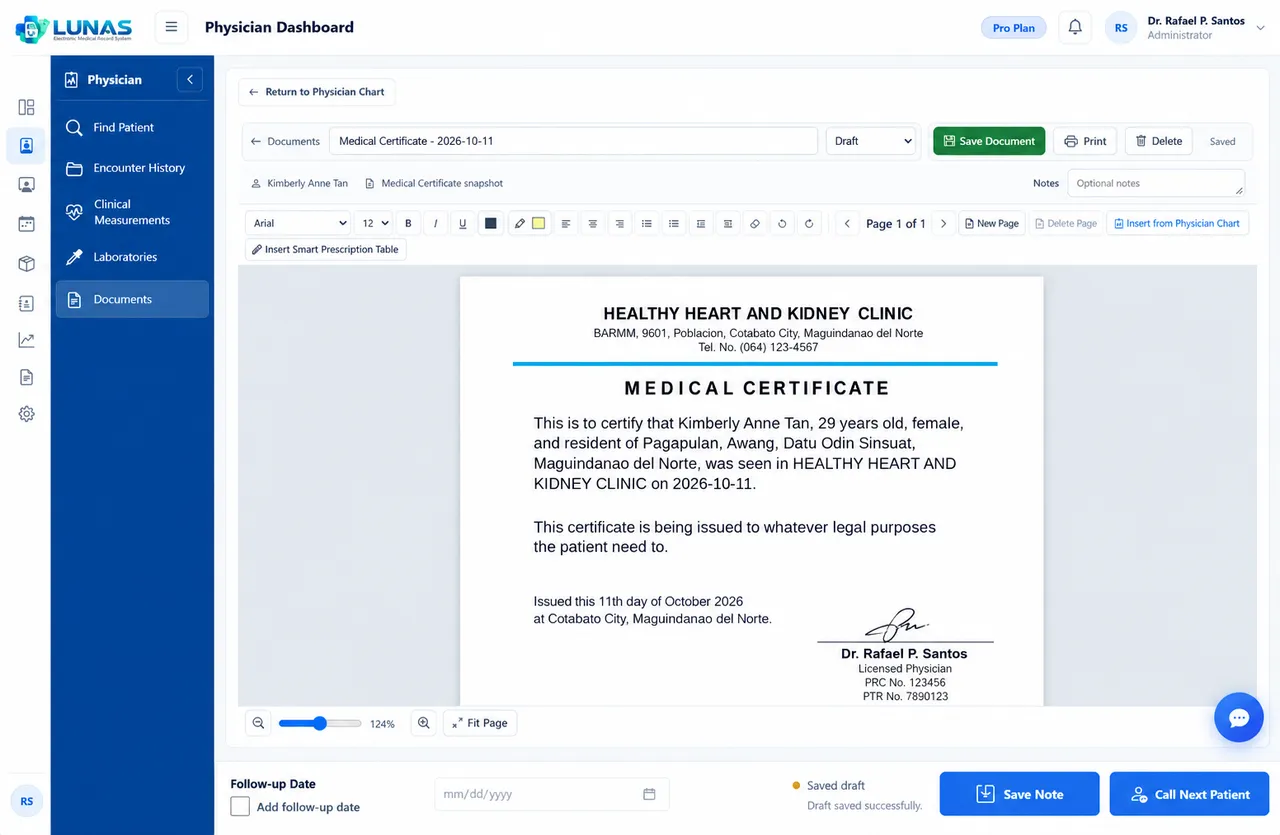
Template Store with ready-to-use, customizable templates for prescriptions, laboratory and imaging requests and medical certificates, plus a Quick Medicine Library with search suggestions and a Form Builder for your own documents.
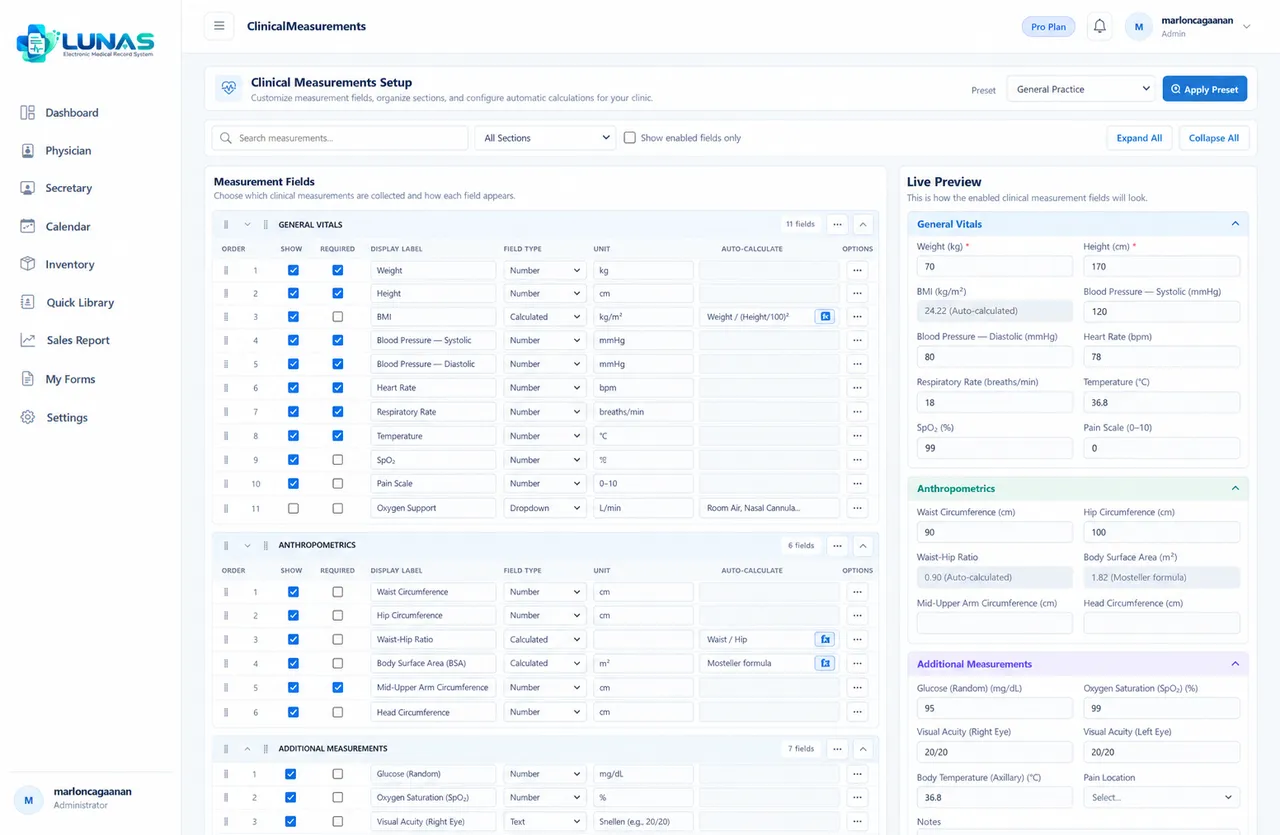
Manage vital signs, custom clinical fields, groups and calculations.
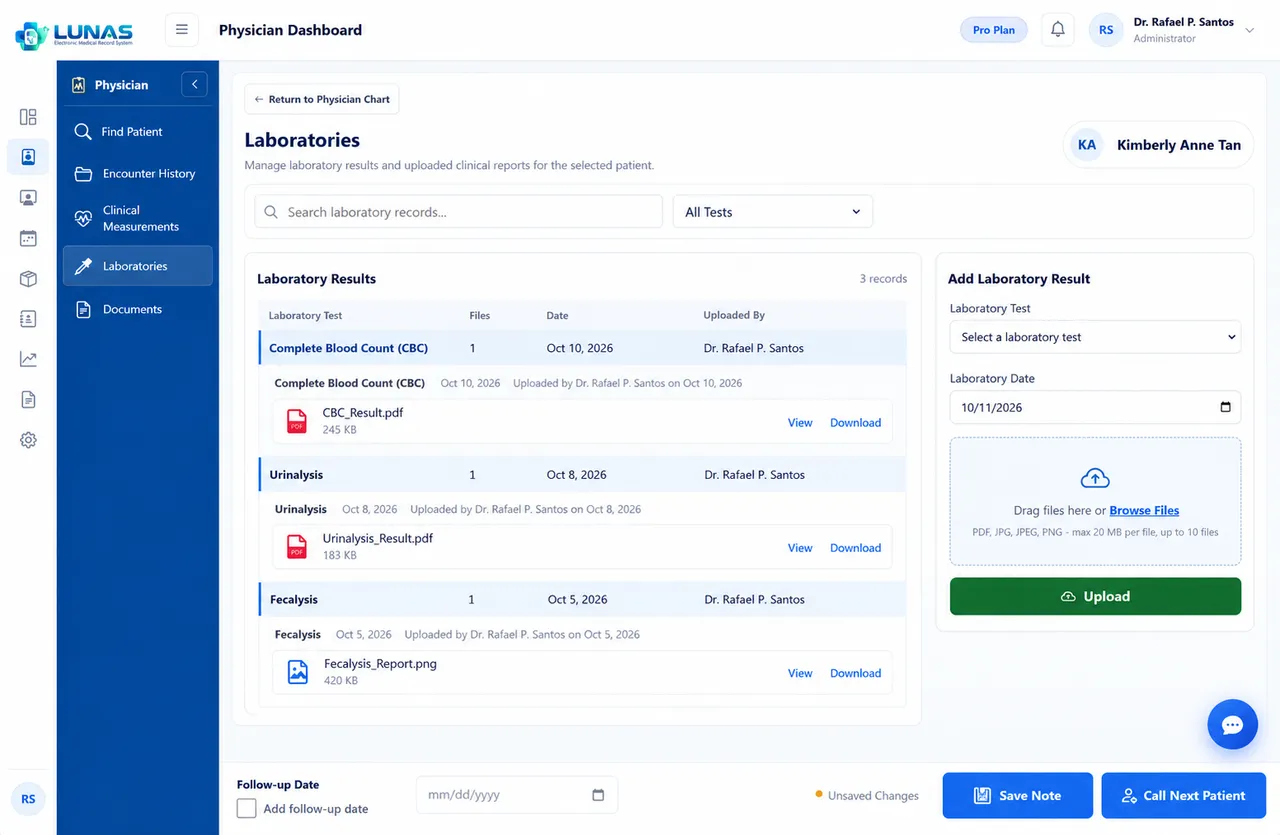
Upload and review laboratory results right inside the patient record.
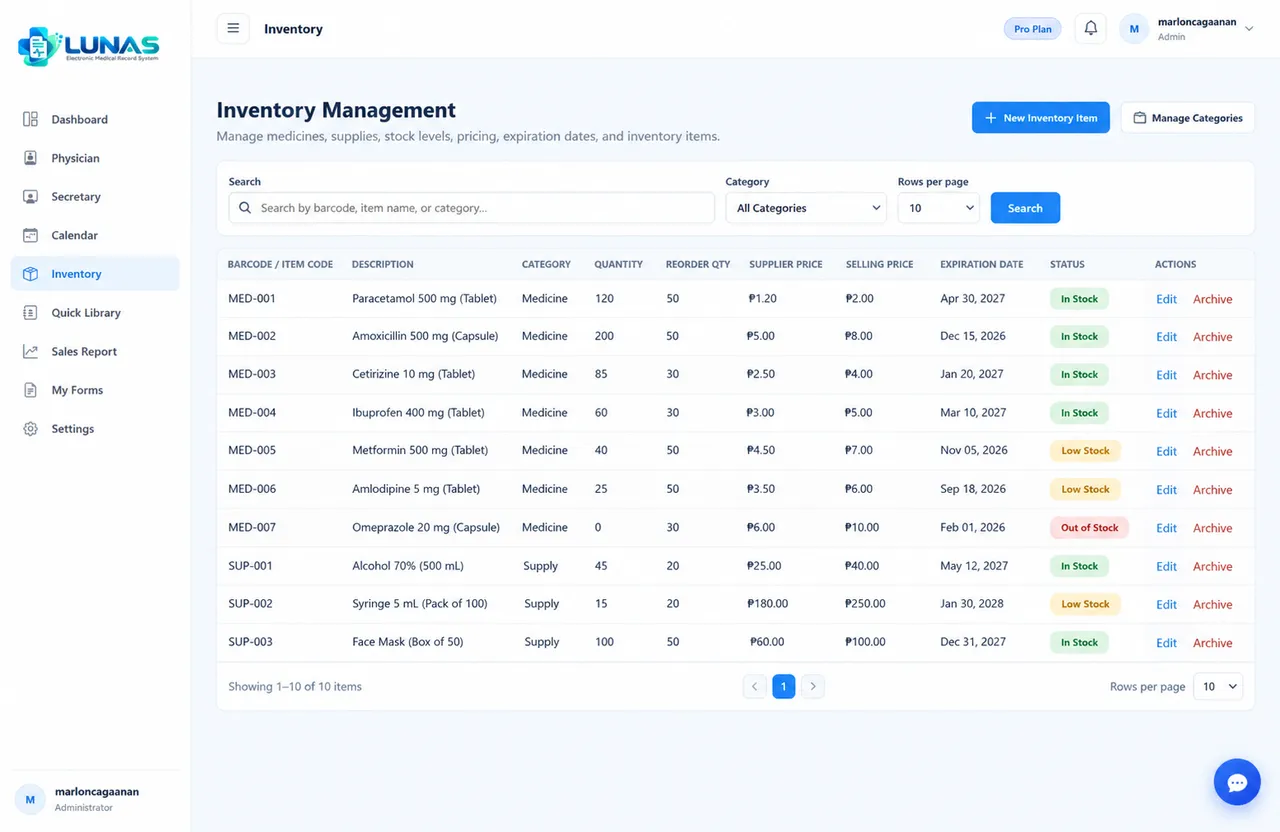
Manage patient billing, payments, medicines, supplies and inventory.
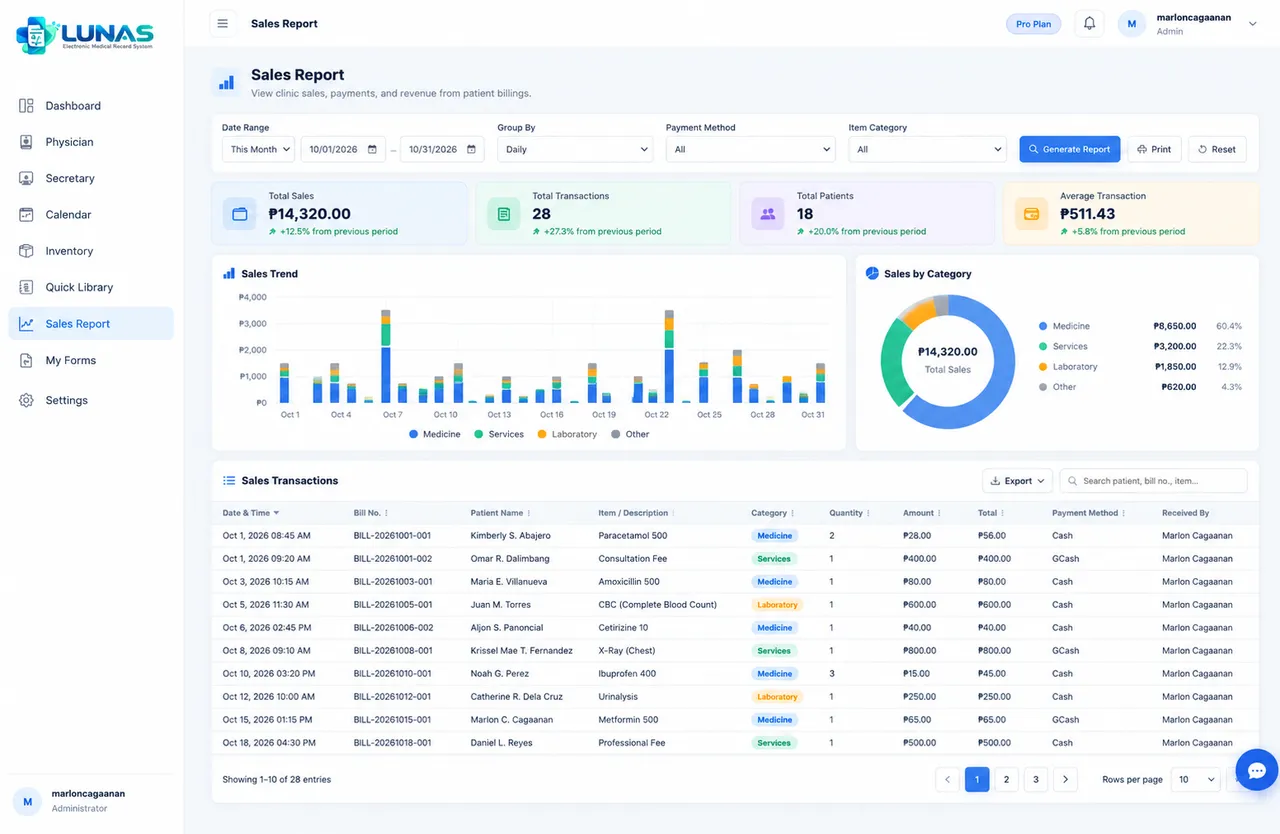
Review sales and activity reports, and create, edit, save and print customizable clinical documents.

Request help from MCC Softwares without leaving the EMR.
Workflow
From patient registration to consultation and payment — one connected workflow.
See how your Secretary and Physician work together to streamline everyday clinic operations.
Called patients appear on the Secretary Dashboard instantly, with no refreshing.
Bills created in the consultation room are ready for payment at the front desk.
Setup Guide
Follow the guided setup after you register. Optional steps can be completed later in Settings.
Review and accept the agreements that govern your use of LUNAS EMR.
Configure the physician profile for your clinic.
Choose the information collected for each patient.
Configure vitals and clinical measurements.
Choose the sections of your physician chart.
Create an account for your secretary.
Download ready-made templates from the Template Store or create your own.
Review and complete your clinic details.
Pricing
Choose the LUNAS EMR plan that fits your clinic's needs.
FOR REGULAR CLINIC
Everything your clinic needs to go digital, simplify workflows, and manage patients with ease.
₱799.00 Save 15%
₱679.15 / month
₱9,588.00 Save 15%
₱8,149.80 / 12 months
About ₱679.15 per month
₱19,176.00 Save 15%
₱16,299.60 / 24 months
About ₱679.15 per month
FOR LARGER CLINIC
More storage, more flexibility, and more room to grow with your clinic's needs.
₱1,299.00 Save 20%
₱1,039.20 / month
₱15,588.00 Save 20%
₱12,470.40 / 12 months
About ₱1,039.20 per month
₱31,179.00 Save 20%
₱24,943.20 / 24 months
About ₱1,039.30 per month
Every new clinic starts with a 14-day free trial, no credit card required. Prices are in Philippine pesos; VAT is added at checkout and the final amount is always confirmed by LUNAS EMR before you pay.
Support
Need assistance? Use the built-in LUNAS Support Chatbox to ask questions and get help without leaving your workspace.
The chatbox is available inside LUNAS EMR after you sign in. You can also reach MCC Softwares by email.
Illustration only — sign in to use the live chatbox.
Security
FAQ
LUNAS EMR is an Electronic Medical Record system by MCC Softwares. It helps doctors manage patient records, consultations, prescriptions and medical documents, patient queues, billing, inventory and other day-to-day clinic tasks in one place.
Yes. LUNAS EMR is made for all types of medical clinics and doctors, whatever their specialty. Patient information, clinical measurements, your physician chart and your forms are all customizable, so you can set up the system to fit how you practice.
Yes. LUNAS EMR runs in a web browser, so you can use it on Android, iOS, Windows and Mac devices.
Yes. New clinics get a 14-day free trial. No credit card is required to start, and the trial begins once your email is verified.
Yes. You can add a secretary account. The secretary can register patients, record clinical measurements, upload laboratory results and manage the patient queue. The physician sees the queue, consults and creates the bill, and the secretary then collects payment. Access is controlled by role and permissions.
LUNAS EMR uses secure account authentication, role-based access control, user permissions and audit logging, and keeps each clinic's data separate from other clinics. Patient information is only available to signed-in users who are allowed to see it.
Spend less time managing paperwork and more time focusing on your patients with LUNAS EMR.
Questions? Contact our support team or email support@mccsoftwares.com.